#Overview
Error handling defines how we communicate problems to users. The right approach depends on the scope and severity of the error. Use the decision tree below to determine which Ul pattern fits your scenario.
#Decision Tree
The decision tree starts by asking: What is the scope of the error? This leads to four branches: Global, Contextual, User Input, and Navigation errors. Follow the questions in each branch to find the appropriate feedback pattern.
#Error feedback patterns
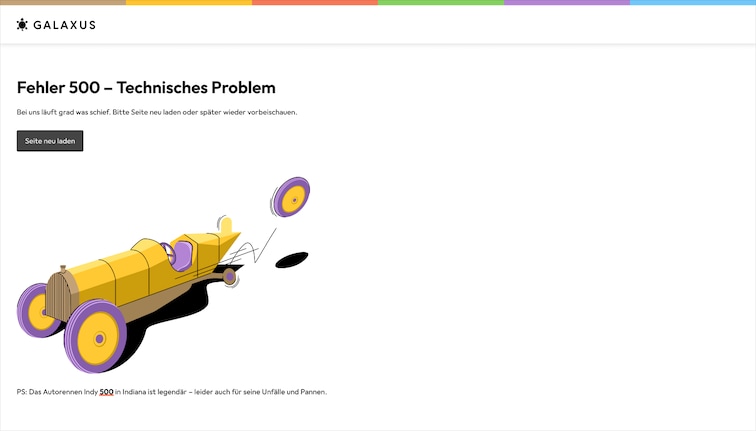
#Full-Screen Error Page
Use when the entire site or app is down and no content can be displayed. This is the most severe error state and should clearly communicate that the team is aware and working on it.
#Alert
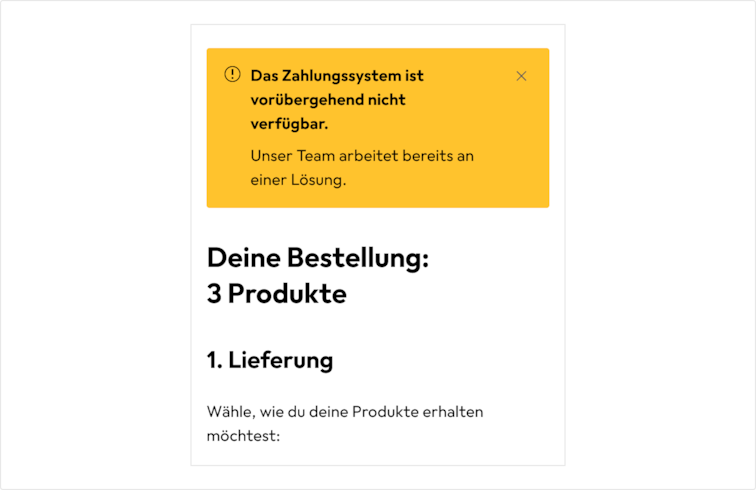
A prominent, non-dismissible alert for critical service outages that affect a specific part of the site (e.g. payments, login, checkout) while the rest remains functional.
Do
Use the Alert to communicate important messages
#Spinner with retry
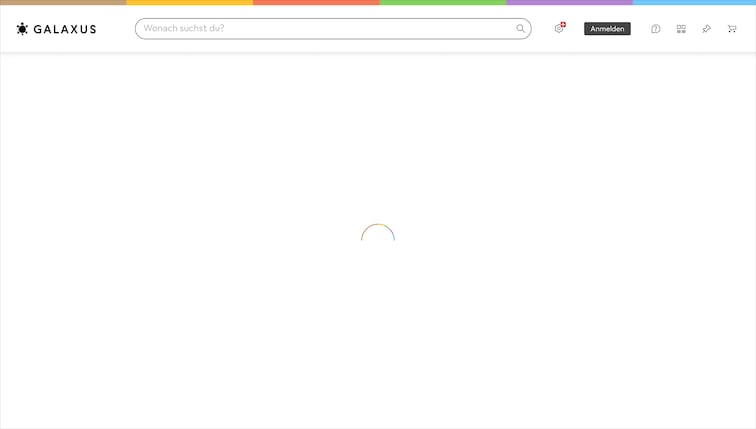
Use when a component's content fails to load but the failure may be transient. Attempt 1–3 silent background retries first. If still pending after 300ms, show a spinner for a minimum of 500ms to avoid flashing. On success, swap in the content; on final failure, fall back to an inline error.
Do
Wait 300ms before showing a spinner; hold it for at least 500ms once shown.
#Header + Navigation + Inline Error
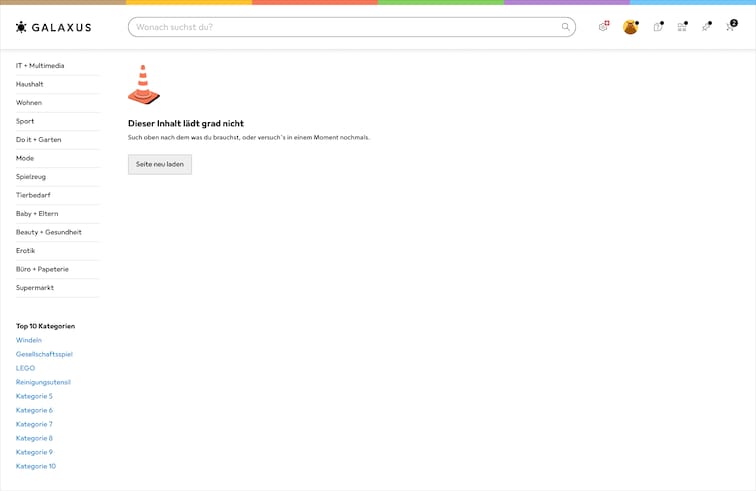
Use when page content fails to load but the shell is still functional. Keep navigation and search visible so the user can pivot, and show the error inline where the broken content would have been.
#Form error
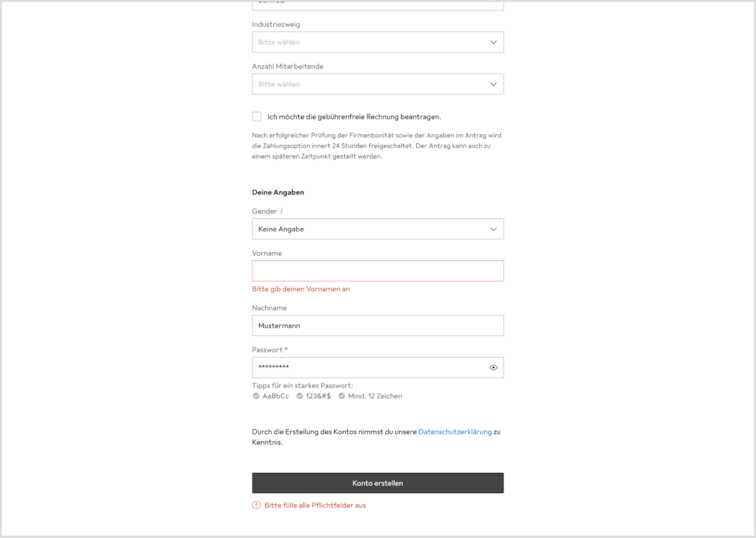
Use when the user's input can't be accepted. Placement depends on when we detect the problem.
Inline validation next to field — for client-side checks (invalid email, weak password). Show the error beside the field as soon as the user leaves it, with a concrete example of a valid answer.
Inline error near the CTA — for failures we only learn about after submission (server rejection, declined payment). Show the error near the submit button, preserve the user's input, and offer retry.
#Graceful degradation
When a non-essential component fails to load and its absence does not break the user's flow, hide it entirely. For example, hiding a "Recommended Products" section that failed to load.
If the content is important to the user's task, show an alert Alert instead.
#Silent Logging
When an error has no user-facing impact (e.g. a failed analytics call or a non-critical background process, log it silently without showing anything to the user.